
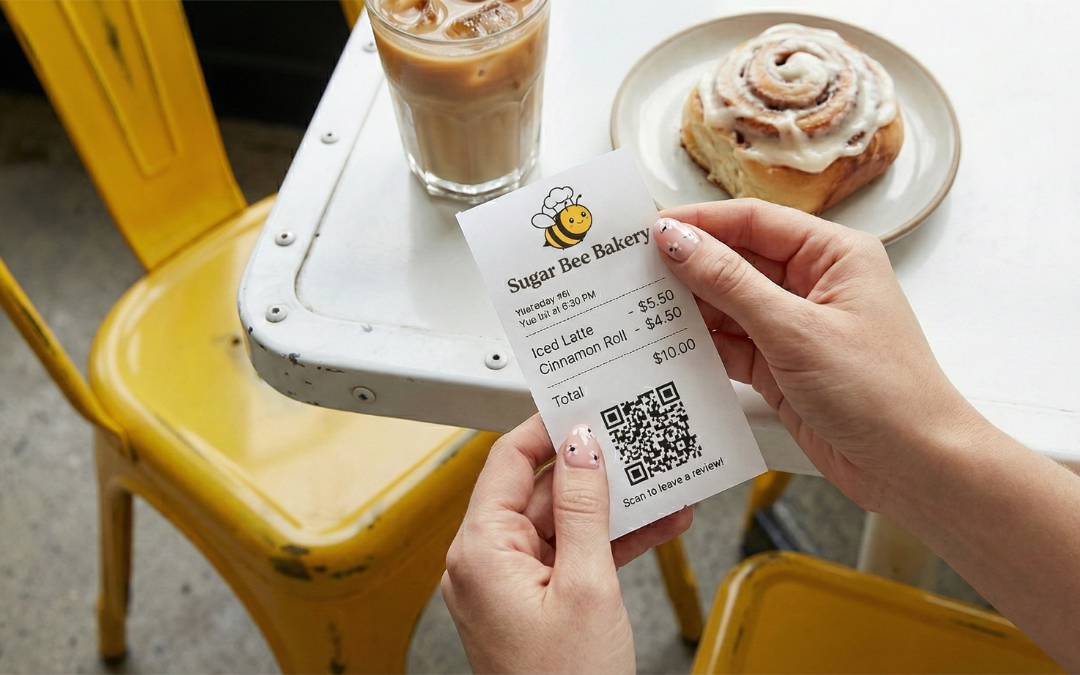
Getting more reviews doesn’t have to feel uncomfortable
It doesn’t require begging customers at the counter or bribing with free food. The real secret is to ask consistently and make it easy.
Start with the basics. Every retail location should have small tabletop signs or a checkout placecard that says something simple and human, like:
“Want to share feedback about your visit? A quick review helps other locals discover us. Scan here.”
Pair that message with a QR code that links directly to your Google or Yelp profile. No searching. No friction. Just scan and go.
That alone will move the needle more than you think.
How to Take It Up a Notch
-
Use Automation Thoughtfully.
Most modern POS systems (Square, Toast, Clover) can automatically send a follow-up message a few hours after a visit. These messages usually ask for feedback via email or text, which is great for spotting issues early and learning what customers love.
The catch?
Not every POS can reliably send customers straight to public review sites like Google or Yelp on its own.
A simple workaround is hiding in plain sight: your receipt.
You can customize the text in the footer of printed or digital receipts. Include a direct, friendly ask just like your retail table tent: “Tell us how your visit went. It helps other locals discover us” or “Have a moment to share feedback? Leave it here.” Link out to the review platform of choice.
This turns every receipt into a quiet, low-pressure reminder. No awkward conversations required. More on the power of digital receipts here.
Here are examples of Toast digital receipts with the Guest Feedback feature enabled. When customers engage with this survey (thumbs up/down and optional comments), the results stay internal:
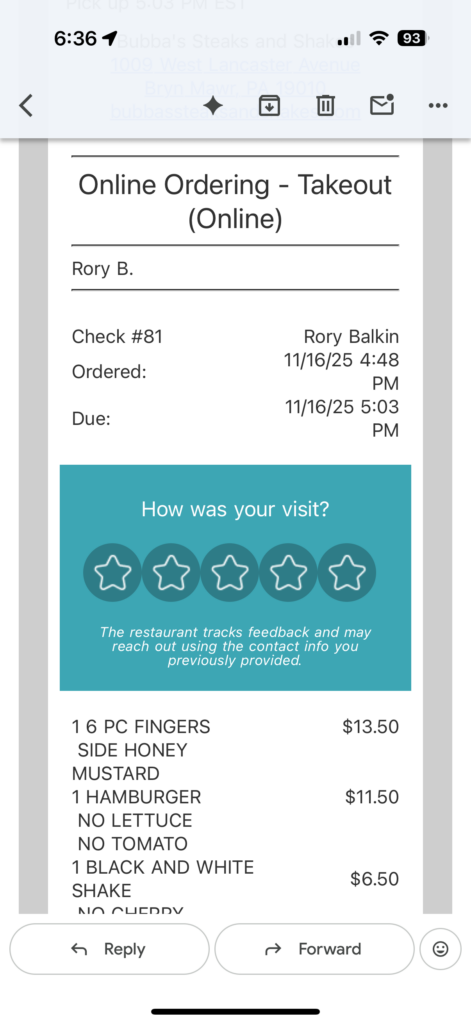
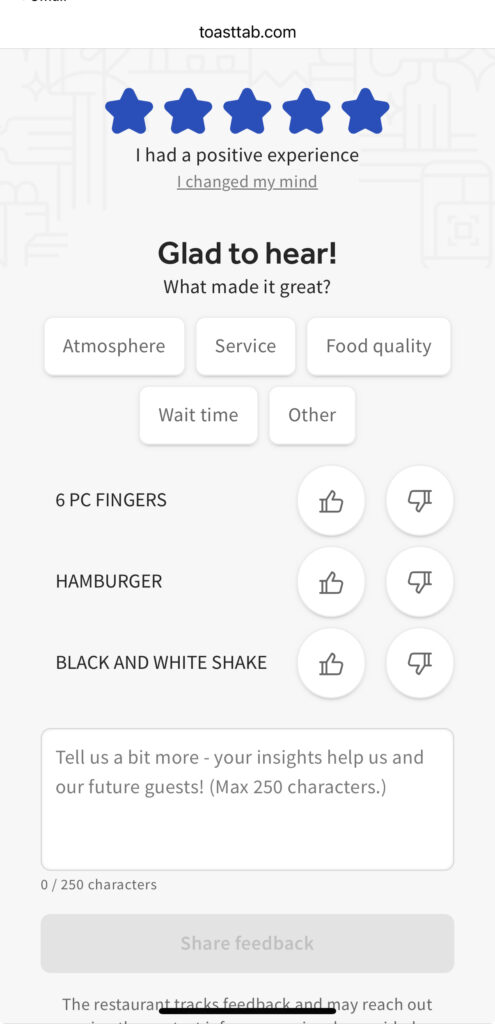
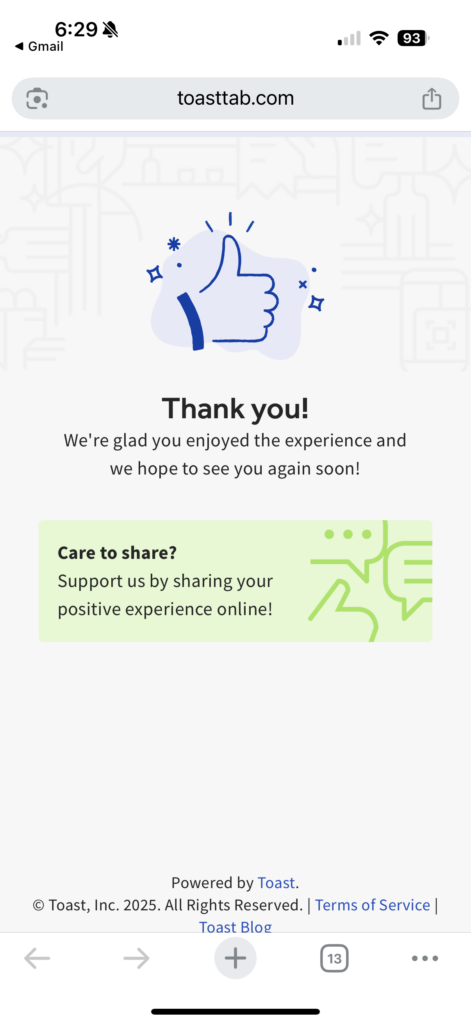
Unfortunately, the “Care to share?” box doesn’t link to anything. Making the customer open up a browser tab, find the bakery’s Google Business Profile, and rewrite a review…Well, that’s asking them to do too much work.
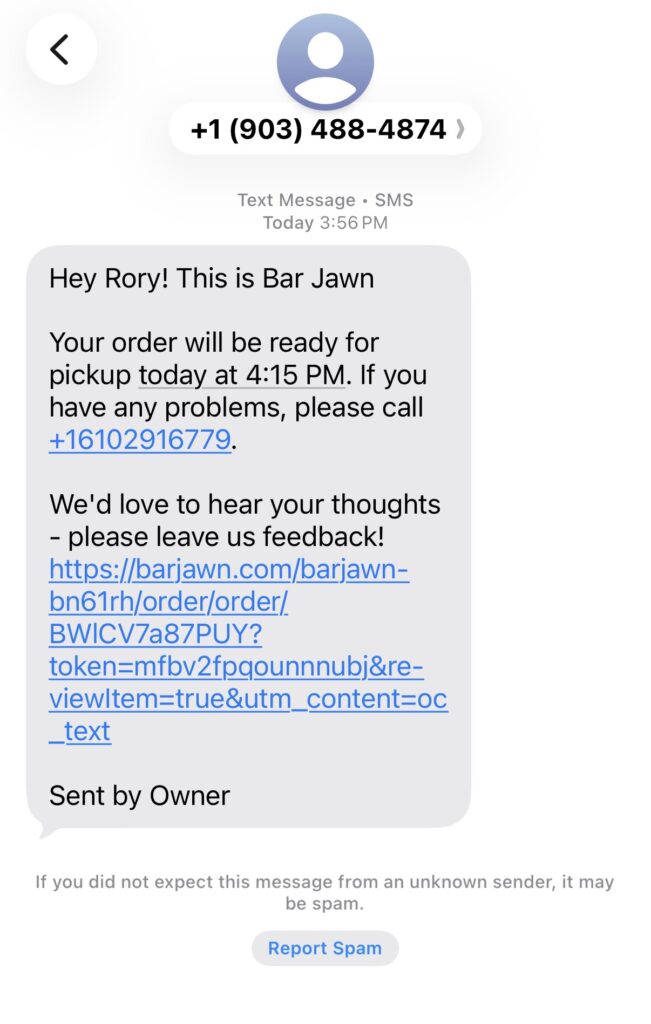
On the other hand, this automated text from Bar Jawn (via Owner.com) sent me straight to their Google Business Profile:
A quick note on review links
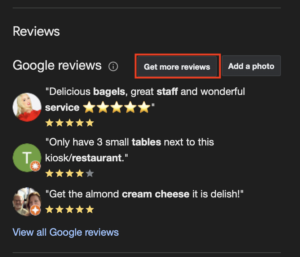
If you’re looking for your Google review link, head to your Google Business Profile, scroll to the Reviews section, click “Get more reviews,” and copy the link shown. That’s the URL you want everywhere (signs, receipts, emails).
Apple Maps and Bing work a bit differently. Written reviews there mainly come from third-party platforms like Yelp or TripAdvisor. While Apple does allow native thumbs up/down feedback and photo uploads, most detailed reviews still flow through Yelp.
Even if Yelp isn’t your favorite platform, it’s still worth monitoring, especially since its reviews influence how business appears on Apple Maps, Bing, ChatGPT, and more.
-
When You’re Ready, Add a Review Tool
As you grow, many bakeries and cafés layer in reputation management software like Birdeye, Ovation, or GatherUp.
Think of these tools as a digital version of a table touch. They help you:
- Catch unhappy guests privately before frustration turns into a public review
- Gently guide happy customers toward leaving a Google or Yelp review
- Reply to online reviews and track sentiment from one dashboard
You don’t need fancy software to start. But for busy shops, it can save time and prevent small issues from becoming reputation problems, all while growing review volume in the background.
To recap: think of your POS as the signal collector. Your signage, receipts, or review software act as the amplifier, helping your bakery to show up in Google when new customers are deciding where to eat.
-
Encourage photo reviews.
When asking for reviews on Google or Yelp, gently encourage customers to include a photo or video. Visuals of pastries, drinks, bakery boxes, and interior design make your profile feel alive, help diners picture themselves in your space, and often lead to higher clicks and direction requests.
A simple line works: “P.S. Bonus if you snapped a photo. Pictures really help new customers know what to expect!”
One underrated move: If a customer already left a glowing five-star review without photos, follow up and ask if they’d be willing to add one. Local SEO expert Darren Shaw has noted that photo reviews can help push down lower-star reviews, especially for people quickly scanning your listing.
-
Capture and share big moments.
Reviews are easier to ask for when something memorable just happened. If you’re hosting a pop-up, anniversary party, grand opening, or influencer event, consider hiring a photographer to capture guests enjoying the moment.
After the event:
- Share the photos with attendees (you’ve asked for their email, right?)
- Thank them for coming
- Invite them to post on social media or leave a review if they had a great time
This is the bakery version of what realtors do after closing a home: turn a peak experience into long-term visibility with a photo that’s worth sharing.
Action Step: Retail First, Catering Second
Start simple before you automate.
The biggest mistake bakery owners make is either 1) ignoring reviews altogether, or 2) thinking review growth requires new software. In reality, your fastest wins come from things you already control: signage and receipts.
Once those basics are in place, layer in POS automation for everyday retail visits. Explore what your system offers, whether it’s a short follow-up text or email after purchase to collect feedback. From there, dedicated tools like Ovation or BirdEye can route customers properly, monitor sentiment, and make responding easier as volume increases.
Catering deserves a more personal approach. For large orders, weddings, or corporate catering, a 1:1 follow-up goes a long way. Have your GM or catering manager reach out directly by phone, text, or email to:
- Thank the buyer
- Ask how everything went
- Request photos from the event, especially if a photographer was involved
- Share your Google review link if the experience was positive
You can also ask permission to feature their feedback on your website or in your catering brochure. That kind of thoughtful follow-up not only earns great reviews but also builds lasting relationships that drives repeat business.
As your catering program grows, you can streamline this process with catering-specific software like HoneyCart or CaterZen. These platforms automate invoices, packing lists, order reminders, follow-ups, and review requests while still keeping communication personalized.
Next in the series
This post is part of a 6-part series on building better online reviews for independent bakeries.
Previous post: Why Online Reviews Matter More Than Ever for Bakeries →
Next in the series: Why Local Foodies and Loyal Customers Matter for Reviews →